How to build a CI/CD pipeline with GitHub Actions in four simple steps
Created by @Aditya Bavadekar on Mon Oct 28 2024
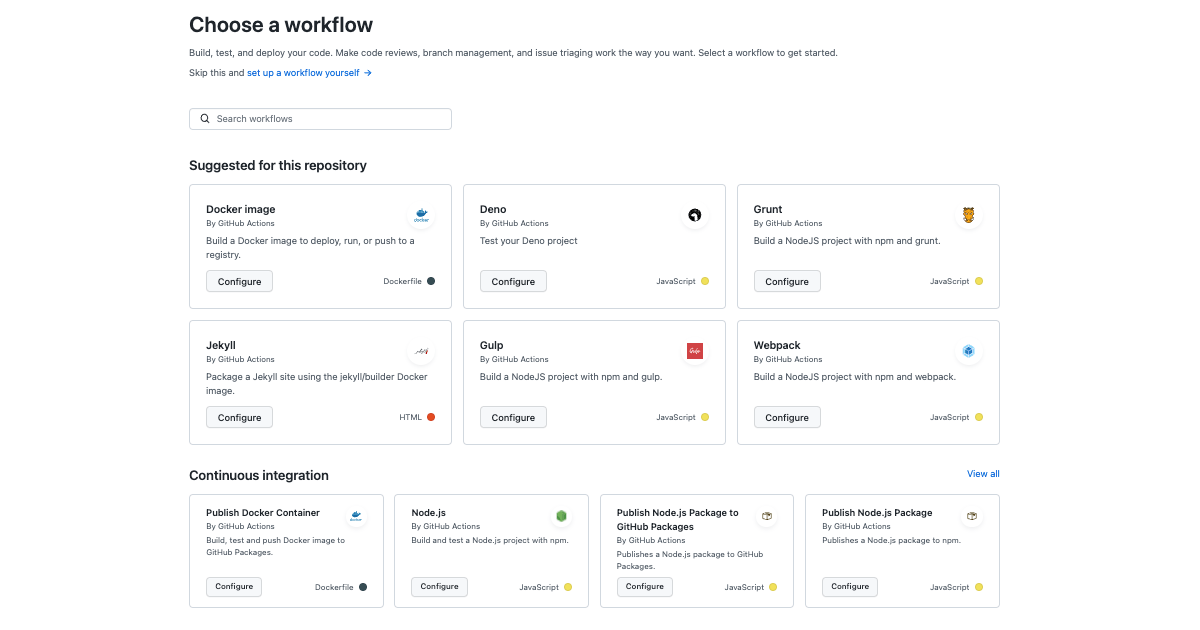
Continuous Integration / Continuous Delivery (CI/CD) has long been—and continues to be—the domain of DevOps experts. But with the introduction of native CI/CD to GitHub in 2019 via GitHub Actions, it’s easier than ever to bring CI/CD directly into your workflow right from your repository. That’s a great thing. As developers, we’re trained to use peer reviews to make sure our code works. But I’m here to tell you we need to disrupt the peer review. If you’re using Git, GitHub, and GitHub Actions to build a CI/CD pipeline, you should have confidence in your code. I’m going to walk you through exactly how to build your own CI/CD pipeline, right from your repository on GitHub. Find out how GitHub compares to other DevOps and CI/CD platforms > ## Key advantages of using GitHub Actions for CI/CD pipelines But first, let’s talk through some of the benefits to using GitHub Actions—because let’s be honest, there are a lot of other tools out there. Let me unpack the four big benefits that I’ve come across: - CI/CD pipeline set-up is simple: GitHub Actions is made by and for developers, so you don’t need dedicated resources to set up and maintain your pipeline. There’s no need to manually configure and set up CI/CD. You don’t have to set up webhooks, you don’t have to buy hardware, reserve some instances out there, keep them up to date, do security patches, or spool down idle machines. You just drop one file in your repo, and it works. - Respond to any webhook on GitHub: Since GitHub Actions is fully integrated with GitHub, you can set any webhook as an event trigger for an automation or CI/CD pipeline. This includes things like pull requests, issues, and comments, but it also includes webhooks from any app you have integrated into your GitHub repository. Let’s say you’re going to use any one of the many tools that are out there to run part of your development pipeline. With GitHub Actions, you can trigger CI/CD workflows and pipelines of webhooks from these apps (even something simple, like a chat app message, if you’ve integrated your chat app into your GitHub repository, of course). - Community-powered, reusable workflows: You can share your workflows publicly with the wider GitHub community or access pre-built CI/CD workflows in the GitHub Marketplace (there are more than 11,000 available actions!). Did I mention every action is reusable just by referencing its name? Yes, that too. Support for any platform, any language, and any cloud: GitHub Actions is platform agnostic, language agnostic, and cloud agnostic. That means you can use it with whatever technology you choose. ## How to build a CI/CD pipeline with GitHub Actions > Before we dive in, here are a few quick notes: - Be clear about what a CI/CD pipeline is and should do. This is a simple note, but important. A CI pipeline runs when code changes and should make sure all of your changes work with the rest of the code when it’s integrated. It should also compile your code, run tests, and check that it’s functional. A CD pipeline goes one step further and deploys the built code into production. GitHub Actions takes a “choose-your-own adventure” type of approach to CI/CD. You’ll see it the first time you open GitHub Actions in a repository. There are plenty of guided options with pre-built CI workflows you can leverage, per your technology requirements. But you can also build your own CI workflow from scratch if you want to. - Our example features a website built on Astro and deployed via GitHub Pages. For both the CI and CD portion of this guide, we’ll be using a website I built and developed called www.opensauced.pizza. This website is intended to make it easier for first-time open source contributors to find open source projects to work on and prioritizes projects with clear onboarding flows. - If you’re a visual learner, we have you covered. While I’ll walk you through building a simple CI/CD pipeline with my GitHub project www.opensauced.pizza, I also have a video you can watch where I put these steps into practice and build a quick CI flow for another project of mine: hot.opensauced.pizza. This video shows you exactly where to go to start building a streamlined CI pipeline. Give it a watch if you’re a visual learner.